Jul
26
admin on July 26th, 2008
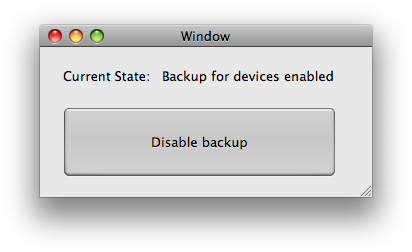
For those of you not familiar with the terminal I wrote a simple application, that lets you disable and enable backups for the iPhone/ipod touch with a single mouse click.
Requirements: Mac OS X 10.4 or higher
This only works on the mac. Windows Users click here.

July 27th, 2008 at 12:37 am
Thank you.
July 27th, 2008 at 8:08 pm
Thank you so much!
July 28th, 2008 at 10:33 am
Nice, thx.
July 28th, 2008 at 12:24 pm
Thanks a bunch!
July 28th, 2008 at 10:16 pm
Out of curiosity, would you be able to post the actual commands for the program? Thanks a lot, by the way!
July 30th, 2008 at 4:32 pm
MANY thanks
D
August 1st, 2008 at 8:42 pm
The actual terminal command to disable the backups is:
defaults write com.apple.itunes DeviceBackupsDisabled -bool YES
You can also change the YES to NO to re-enable the backups.
August 5th, 2008 at 7:04 pm
Just wondering if it’s still safe to disable backup with the new 2.01 firmware and 7.7.1 iTunes update?
August 15th, 2008 at 1:09 am
Can’t wait to try this! Thank you so much.
I am in no way a programmer or a software expert, but it would seem to me that the backups “start from scratch” any time a change is made to an app- if one is added or taken out, etc.
One would think they would be progressive- if that’s the word- and would only update any info that has changed, not the whole thing.
Can anyone shed light on what’s going on?
Thanks again for the app!
August 30th, 2008 at 8:49 pm
I have written a small FREE Windows program called “iPhone Backup Switch”. The program will allow you to enable and disable the iPhone backup feature in iTunes. I have tested it pretty well in Windows XP and VISTA. There is a backup feature that will backup the iTunes configuration and let you restore a previous version, if something goes wrong. Comes complete with installer and uninstaller.
Get it here:
http://www.microseconds.com/backupswitch.html
September 7th, 2008 at 5:50 am
WOW! Thanks. I was trying to figure this out on my own. So simple. Works perfect.
September 9th, 2008 at 4:52 pm
Ummmm….has anyone just tried going into iTunes preferences and turn off automatic backups under the syncing option….?!?
September 10th, 2008 at 4:54 pm
your are a genius
September 11th, 2008 at 2:52 pm
thank you so much! your my hero!
September 12th, 2008 at 1:42 am
This is great, it only does one thing, but it works.
October 19th, 2008 at 12:32 pm
my iphone is disabled, and it says connect to itunes after doin that it says restore and update iphone, but update is taking forever anyone who can advice me on a faster way.
January 7th, 2009 at 9:02 pm
Thanks! Works great!
January 13th, 2009 at 2:26 pm
Thanks! Nice post.
January 18th, 2009 at 1:10 am
SOS! My auto was broken on ave. Should I call to repairs or police?
January 18th, 2009 at 10:55 pm
wonderful post))
January 22nd, 2009 at 4:08 pm
what a nice story..
April 9th, 2009 at 2:14 pm
Great tool. Before it took hours to synchronize my iPod touch, no joke. Thanks a lot!
July 12th, 2009 at 6:48 am
Thank you thank you